
Learning RexLex
Beta Testing
Our goal is to have RexLex available as an accessibility option on all mobile devices. RexLex is currently in Beta Testing Mode so that we can prove that it works. Testimonials from the first 20 people have been fantastic and we are recruiting to expand to a more statistically significant number and a more formal test. If you’d like to be a beta tester or know a person, organization or school district that might like to participate, please contact us for installation and enrollment instructions.
Resources and Suggestions
Here are several tools & recommendations to assist in memorization:
Large Font: At first use a much larger font size than you might normally use. Zoom in to get used to the colors.
Proper Brightness: Adjust your screen brightness to where it’s most comfortable in conjunction with the colors. This may be a little brighter than you normally used for black & white, since the colored letters have a bit less contrast than pure black.
Phrase Matching Game: We have found that ‘gamefying’ the memorization process before reading, greatly increases effectiveness:
The game really highlights the advantage of using color. In fact, if you play the game in black and white, you'll see that some puzzles cannot be figured out at all. Phrases are displayed but partially obscured with one of 50 masks. You score by typing them out exactly, as fast as you can. Since so many letters are similar shapes, it really forces you to focus on the color. There's a checkbox which switches from phrases, to just random characters. Without the context of the whole phrase, you have to memorize which shapes go with which colors. Playing with the Random Characters option is probably the single fastest way to memorize the colors.
Flashcard Game: This flashcard game is a simple way to memorize the colors
The Style Sheet pdf has several charts which show how the letters are separated and looking at those might be a decent way to study it. There are separate sheets for each of the four contrast levels. Select the right page then spend some time memorizing the colors. In addition to the grid with the entire alphabet, focus on the grids labeled
By Color
Common Conflicts
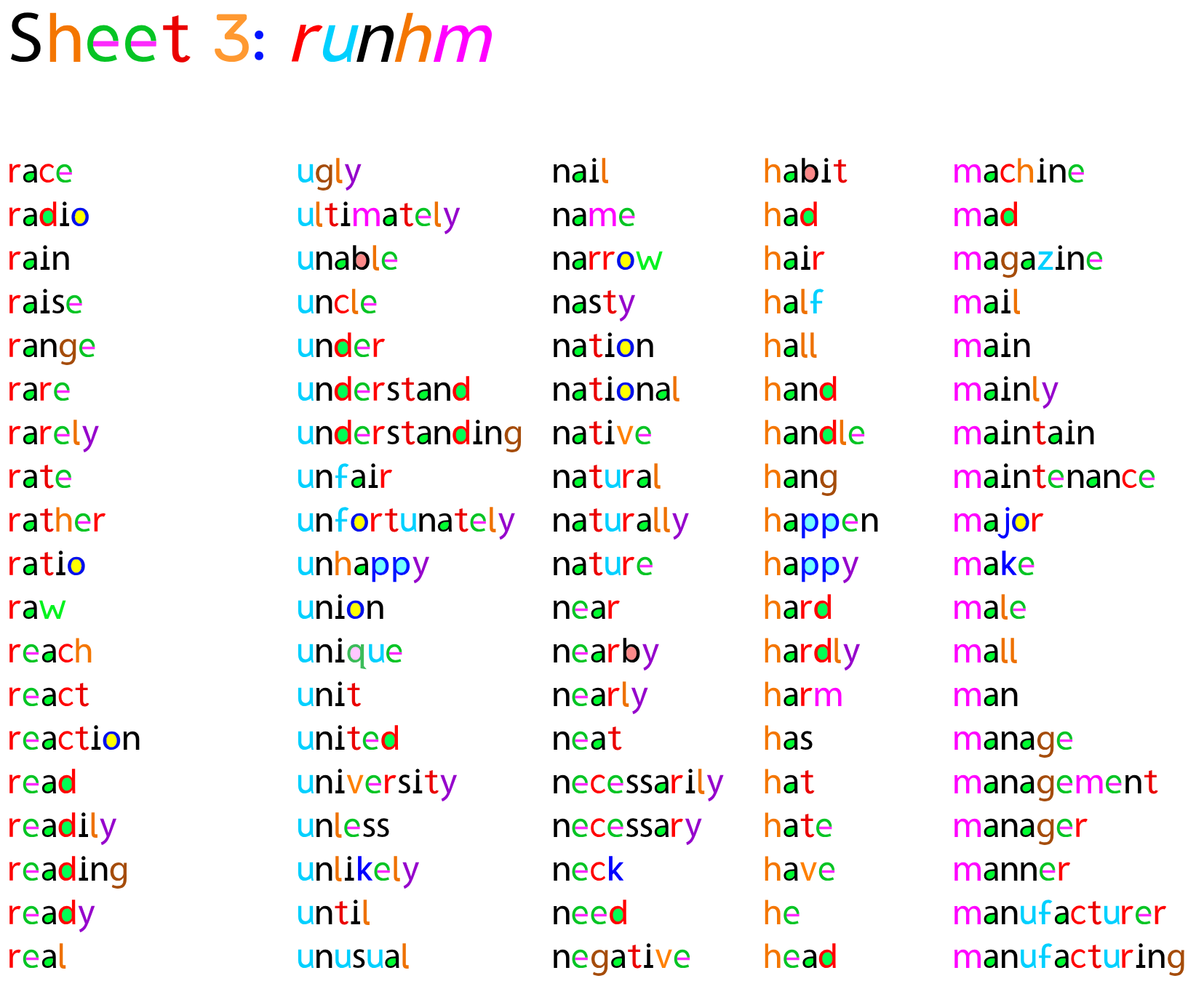
Word Tables: Additionally, I created a few Word lists which might be useful. At the top, there are sub-links to word tables such as these:
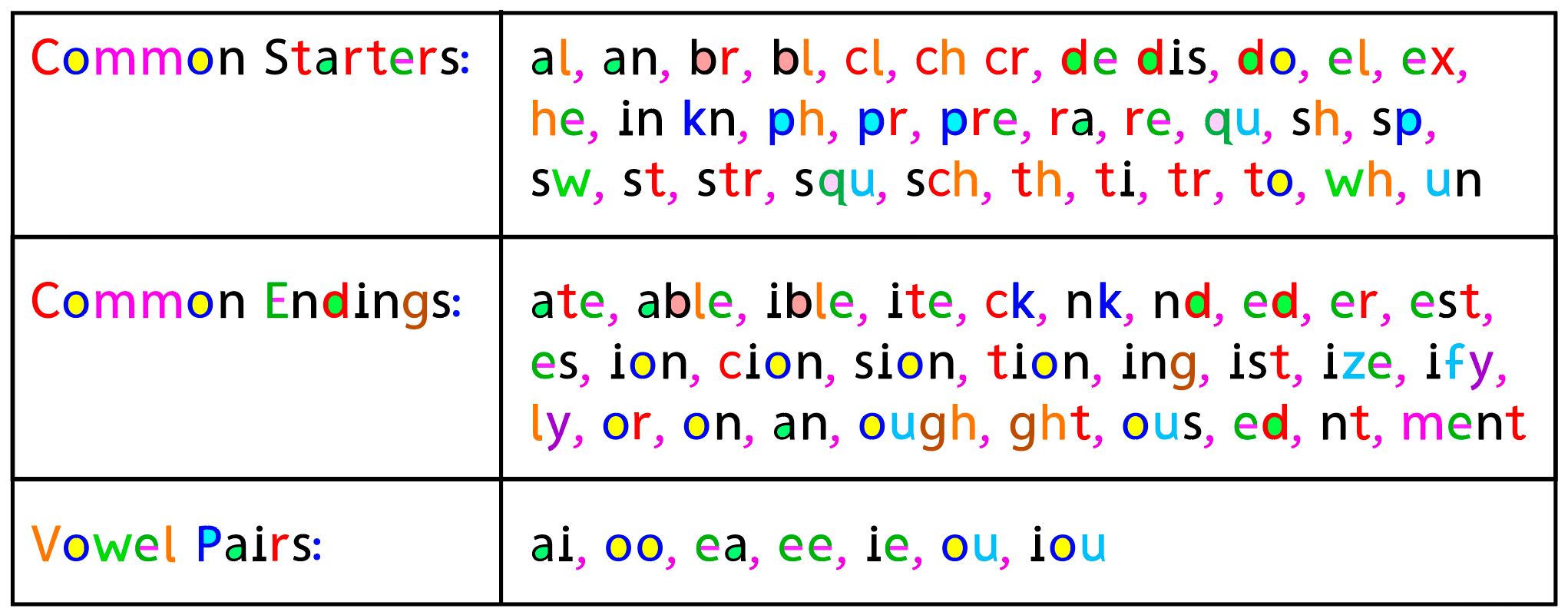
Pairs and Groups of Letters. Whole words begin to take on unique signatures. A good way to start is to try and memorize common groups:
Surf Plain Pages: At first, try to find pages that are fairly plain - a white background with full paragraphs rather than pages with lots of clutter, pictures and links, especially text and links over a non-white background. I recommend training on articles or passages with a sustained length as this will enable the mind to get used to the patterns. Again, use a larger font size at first.
Visualization: As an exercise, after you’ve mostly memorized the colors, try to select a letter, or even a whole word, and try to recall the colors verbally or picture the word in your mind. This is actually surprisingly effective and really helps to solidify the colors in your mind. The colors in your mind
Writing: Include some web pages where you are actively writing in addition to reading, such as gmail, google docs and google sheets. Google Docs & Sheets are similar to Microsoft Word & Excel. Both can be accessed via: https://drive.google.com/drive/home and use your regular gmail login. The Firefox version works well with Google documents, however the chrome extension version does not. Try https://www.canva.com instead.
Sustained web browsing. Once you are used to the colors, sustained browsing will lock it in. We believe this will probably take a month or two, but will vary widely by person. This is an area where your feedback is invaluable.
With all memory based learning, immersion is going to be more effective than gradual exposure. If users go back to black & white text on other devices between color training sessions, the brain can purge the new color information as an outlier. Just as with a foreign language or any learning, it does take some early immersion to click in.
Keep in Touch! If you experience any bugs or technical problems, contact us and we will try to fix them asap.